
Overview
Power Savvy is a mobile app that helps a household monitor and reduce its electricity use, through live usage data, recommendations built around the home, and automation for the devices in it.
It started as a design challenge, built on a routine I was already doing by hand every day: checking rooms, calculating costs and chasing down the days that ran high. The goal was to hand that routine over to an app.
Scope of work
Product design. Product brief, persona, inspiration and competitor review, and the main flow that connects goals, tips and automation.
Visual design. The brand name, the logo and its variants, and a calm, image-led interface that keeps numbers easy to read.
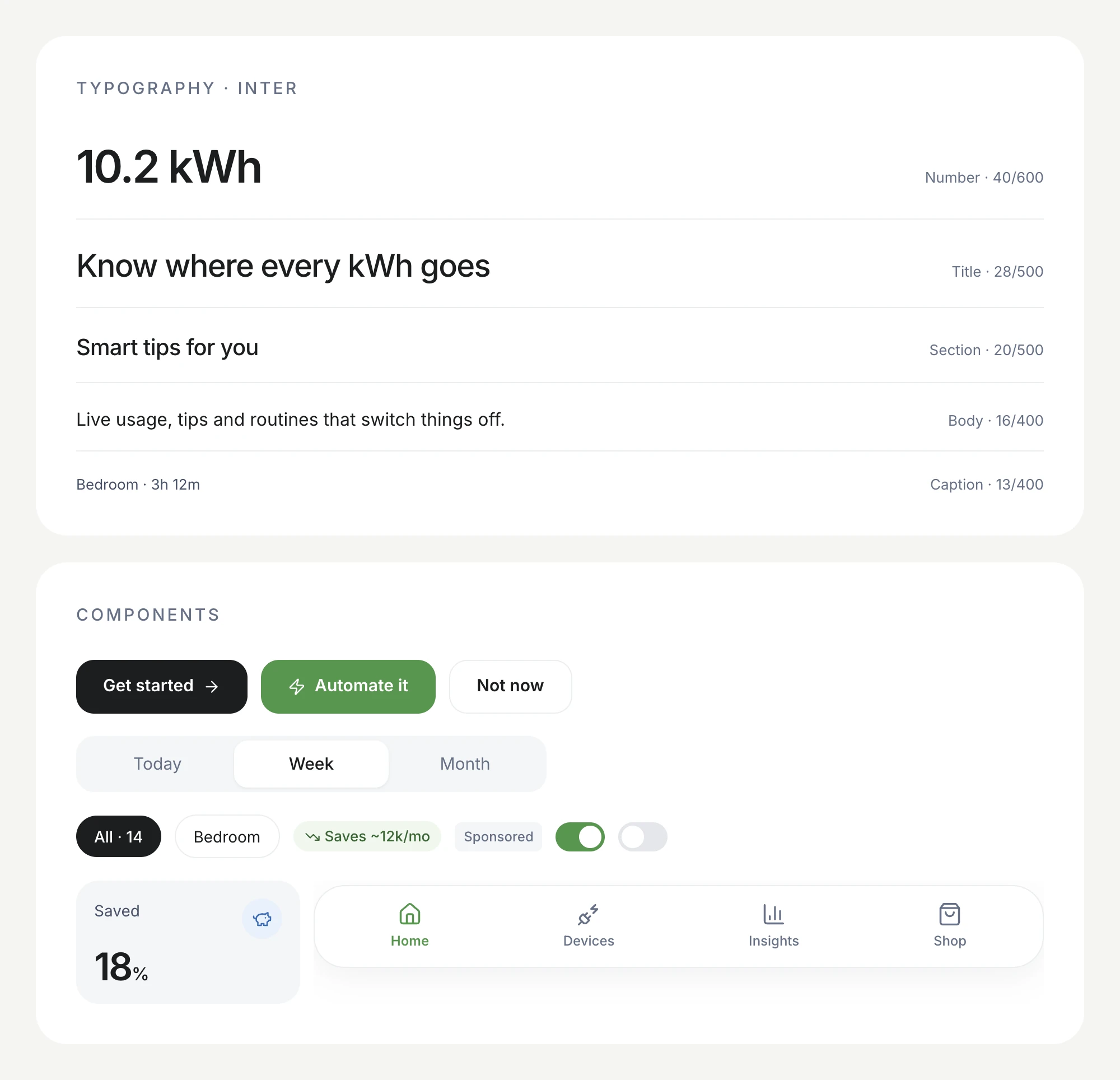
Design system. Tokens for colour, type and spacing, plus the components reused across every screen: cards, stat tiles, chips, toggles and a floating navigation bar.
Design principles
Clear at a glance. The first screen answers one question: how much have we used today, and what has it cost? Everything else is one scroll away.
Data that leads to action. Every number comes with a next step: a tip, a routine, or a product. A chart on its own doesn't lower a bill.
Let the app do the checking. The routine I did by hand every night, going room to room switching things off, should become a single automation.
The need
I'm a husband with a family, and I pay most of the household bills: electricity, wifi, water, gas and insurance. Electricity is the one that changes day to day, and keeping it on target was my job.
So I did it all manually:
- Checking every room before bed and switching off lights and devices.
- Working out daily usage, and what it would cost by the end of the month.
- Spotting days that ran higher than usual, then talking with my wife about what we used and how to cut it next time.
Power Savvy turns that routine into an app: see usage and spending as they happen, see what has been saved, get personal recommendations, and automate the devices at home.
Who it's for
Persona: me, a 24-year-old husband and employee. The budget-minded family man.
- Goals: a lower electricity bill and less wasted energy.
- Needs: easy monitoring, consumption recommendations made for my home, and smart automation.
- Concerns: data accuracy, compatibility with the devices at home, and cost.
- What makes the app useful: a friendly interface, clear data visualisation, and tools for setting goals.
Inspiration & competitor
Inspiration: Klima. A personal carbon-offsetting app. Its purpose is different, but its visual style is close to what I wanted: communicative, to the point, and free of confusing layouts.
Competitor: Smappee. Shows real-time and historical electricity, solar, gas and water usage by the hour, week or month, and can send commands to automate smart devices. Power Savvy aims for the same depth with a much lighter interface, focused on a single household budget.
Main flow
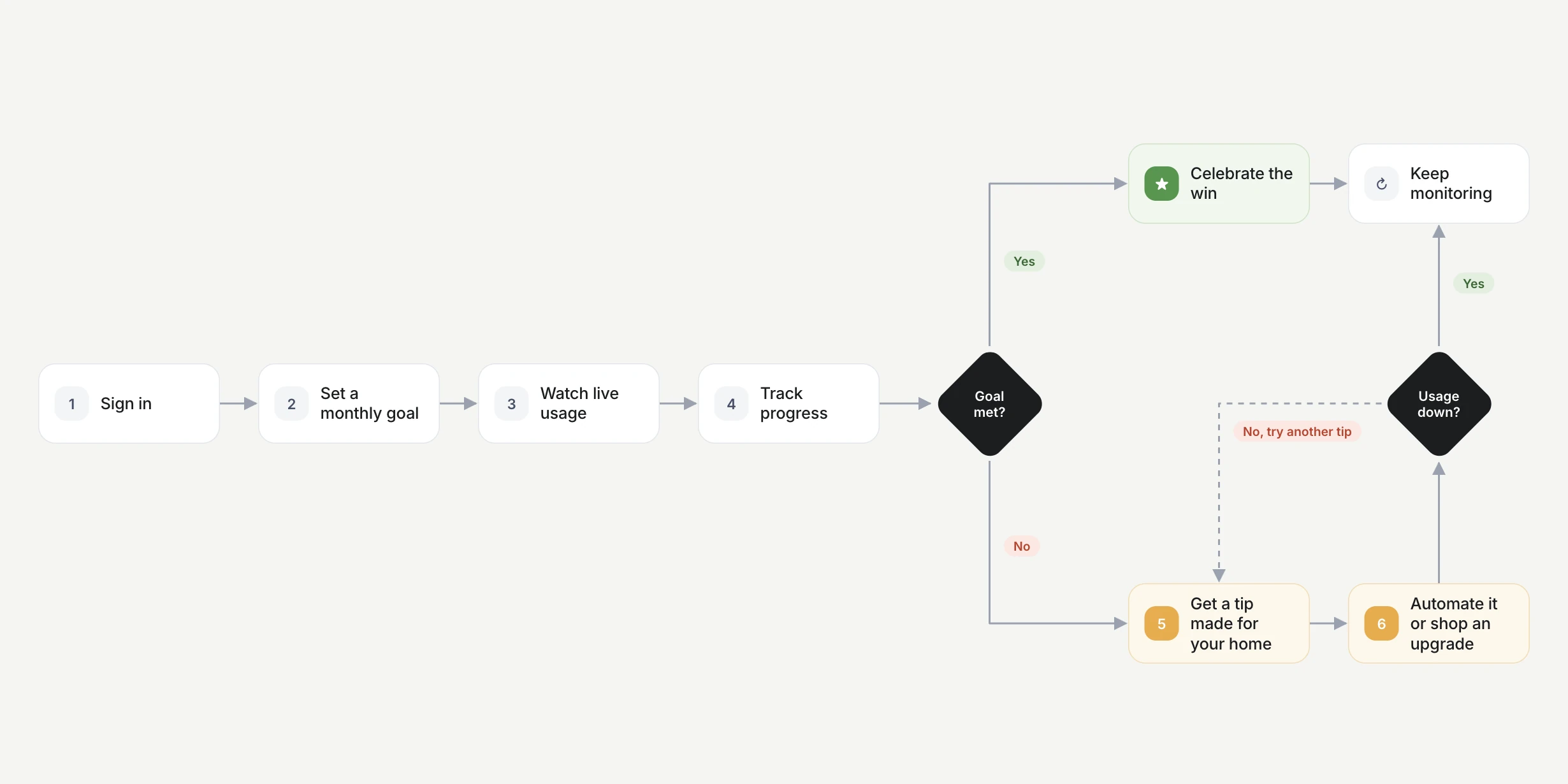
The core loop: set a goal, watch usage, and react when it drifts. When the goal is met, the win gets celebrated. When it isn't, the app suggests a tip made for the home, which can be automated or solved with an upgrade from the shop, and then it keeps checking whether usage actually went down.
Brand & UI kit
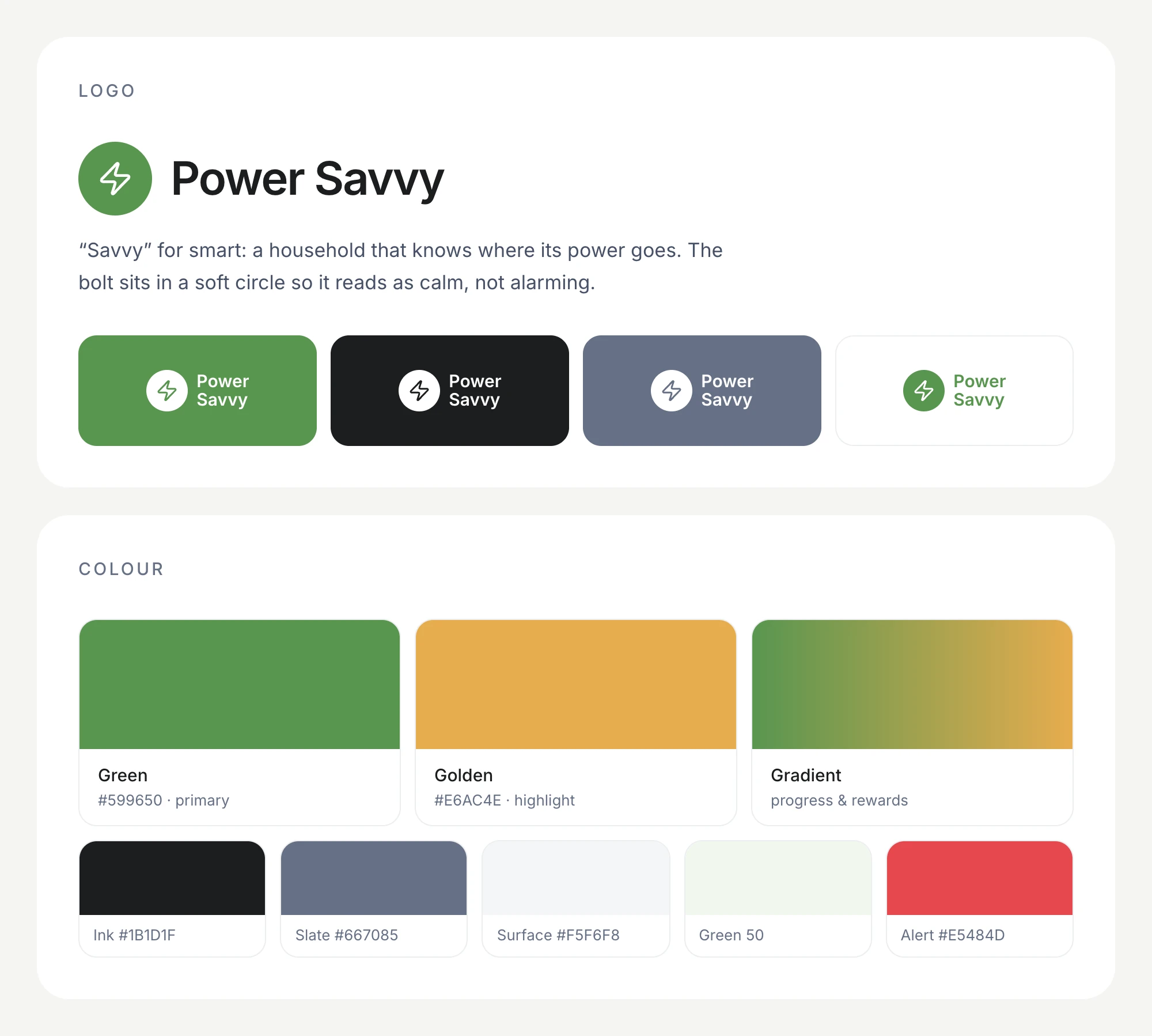
The name means power saving: being smart about the energy we use at home. Green carries the brand and marks anything "on track", golden marks highlights and rewards, and a green-to-gold gradient is kept for progress. Inter keeps numbers crisp at every size, and generous radii with soft surfaces keep the data from feeling clinical.
The app
Home: today, at a glance
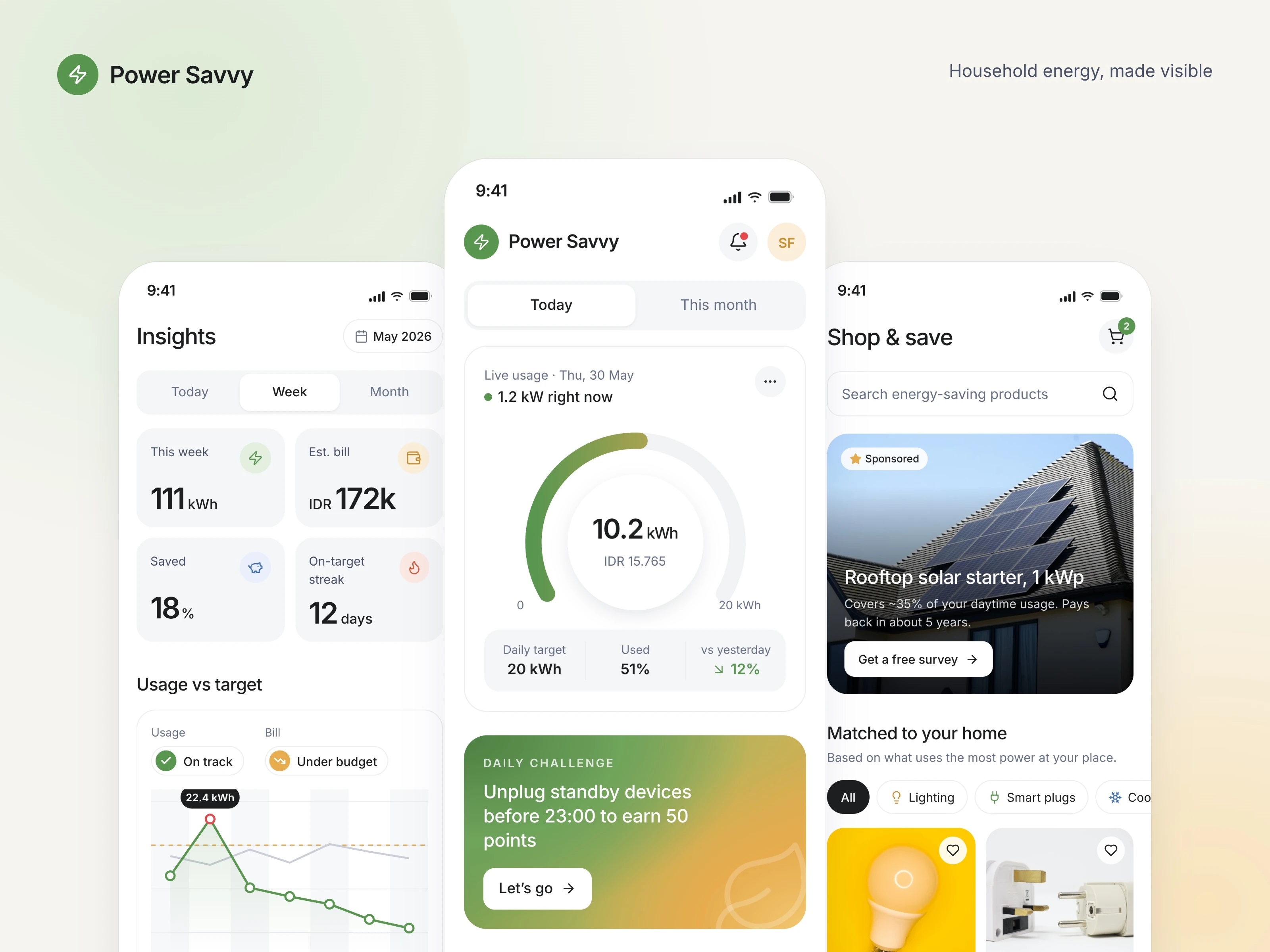
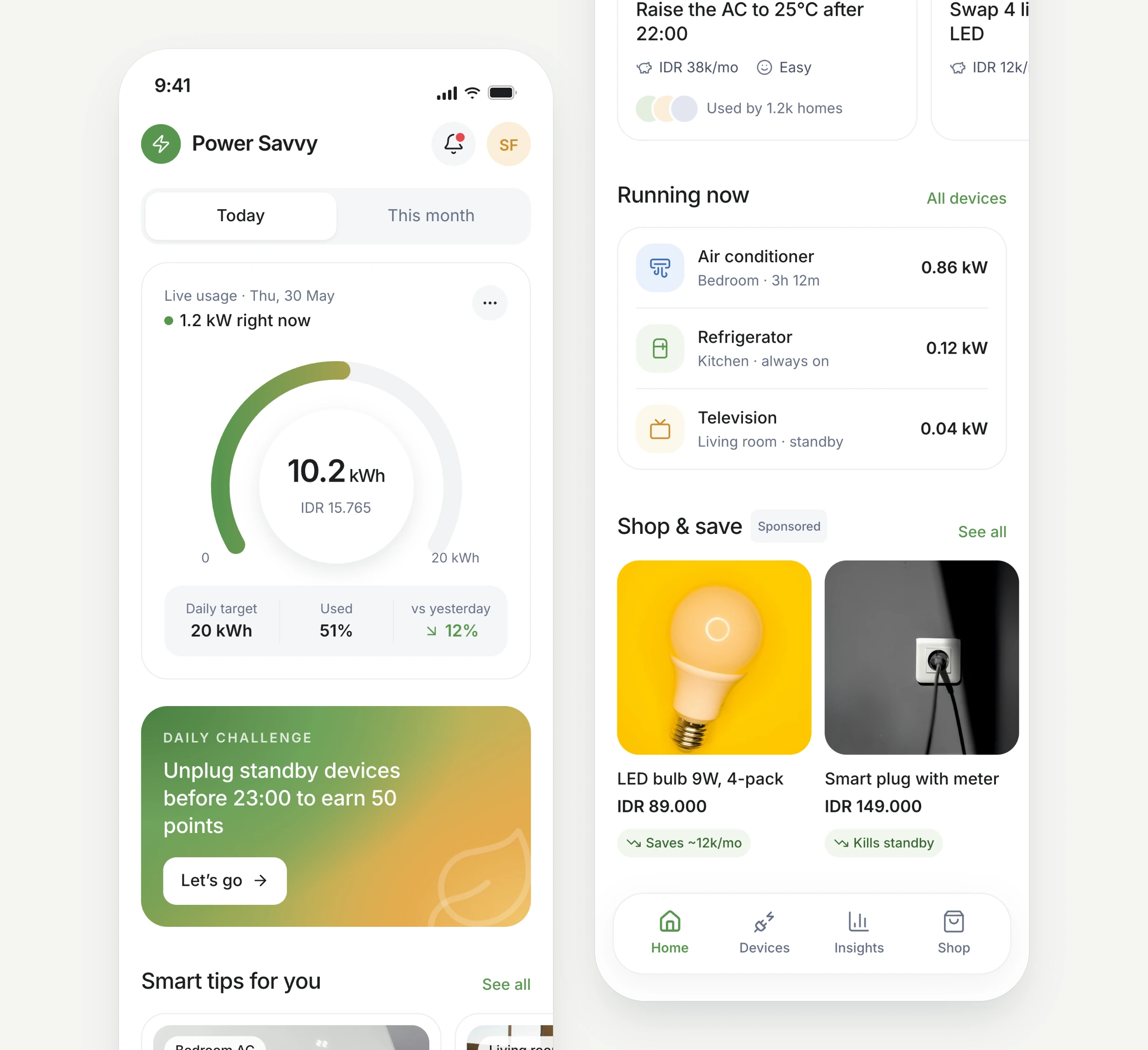
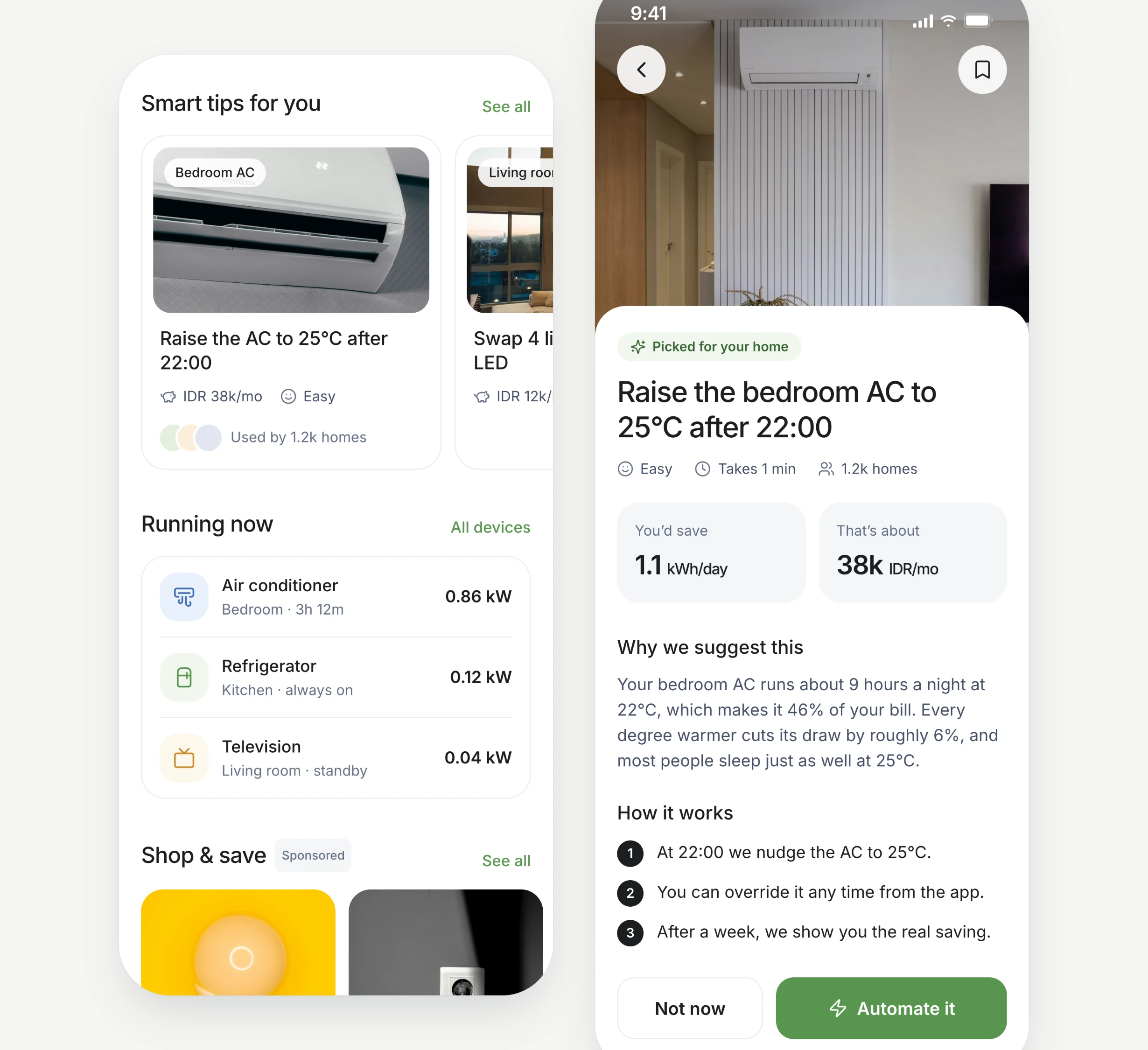
A live gauge shows today's kWh against the daily target, with the cost in rupiah under it. Below it: a daily challenge, tips picked for the home, the devices running right now, and a short row of sponsored products.
Insights that start a conversation
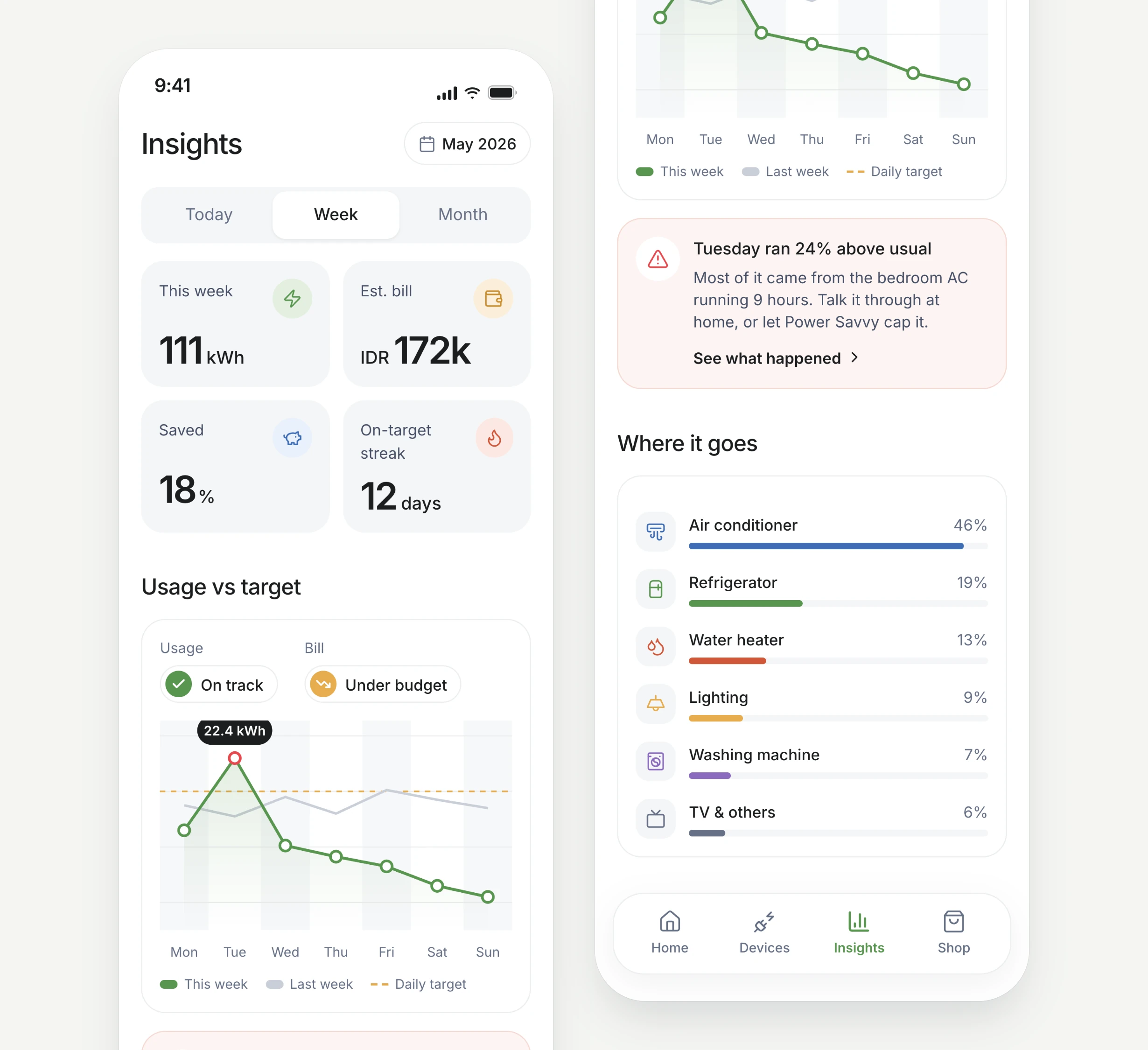
Weekly totals, the estimated bill and the on-target streak sit on top. The chart compares this week with last week and with the target, and calls out unusual days, such as "Tuesday ran 24% above usual", along with the device behind it. It is the same evaluation I used to do with my wife, now with the answer already there.
Routines that do the checking
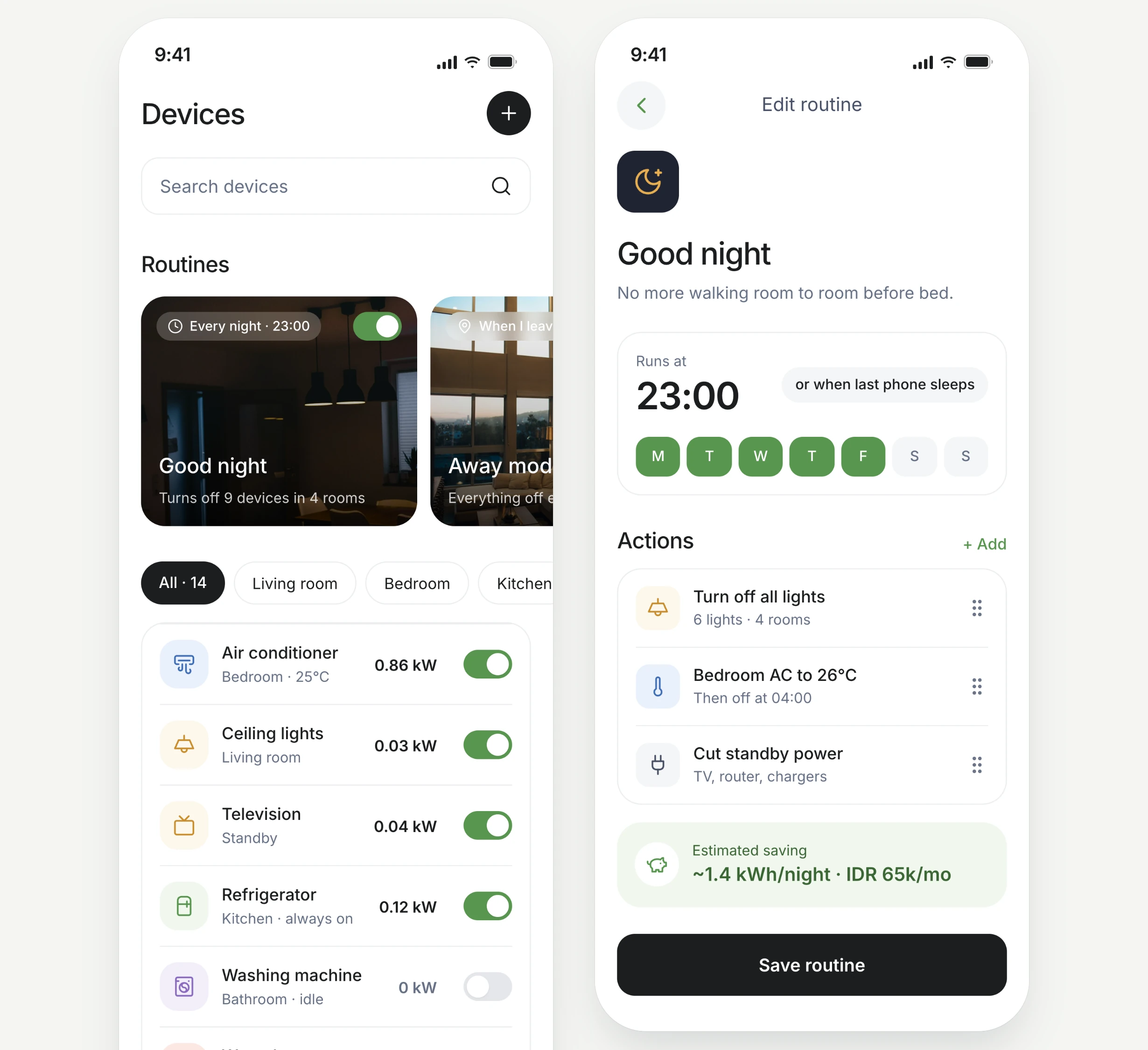
Every device can be switched from one list. The "Good night" routine replaces the nightly walk from room to room: at 23:00 it turns off the lights, raises the bedroom AC and cuts standby power, and shows the estimated saving before you save it.
Goals you can actually hit
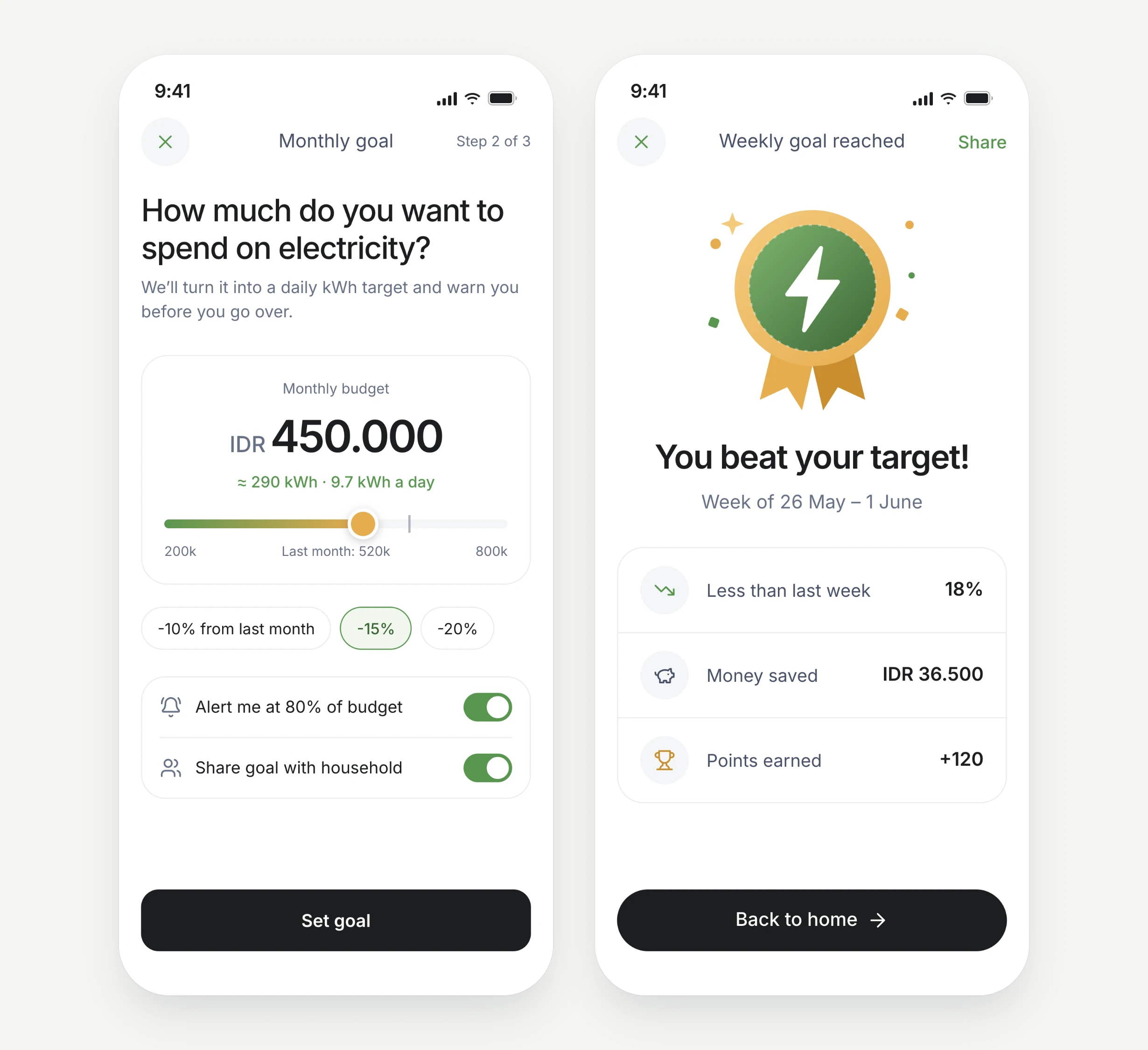
A monthly budget in rupiah becomes a daily kWh target, with an alert at 80% and the option to share the goal with the household. When a week comes in under target, the app celebrates it, closing the loop from the main flow.
Tips that explain themselves
Each recommendation says why it was picked, how much it saves in kWh and in rupiah, and how it works. One tap turns it into an automation.
Shop & save
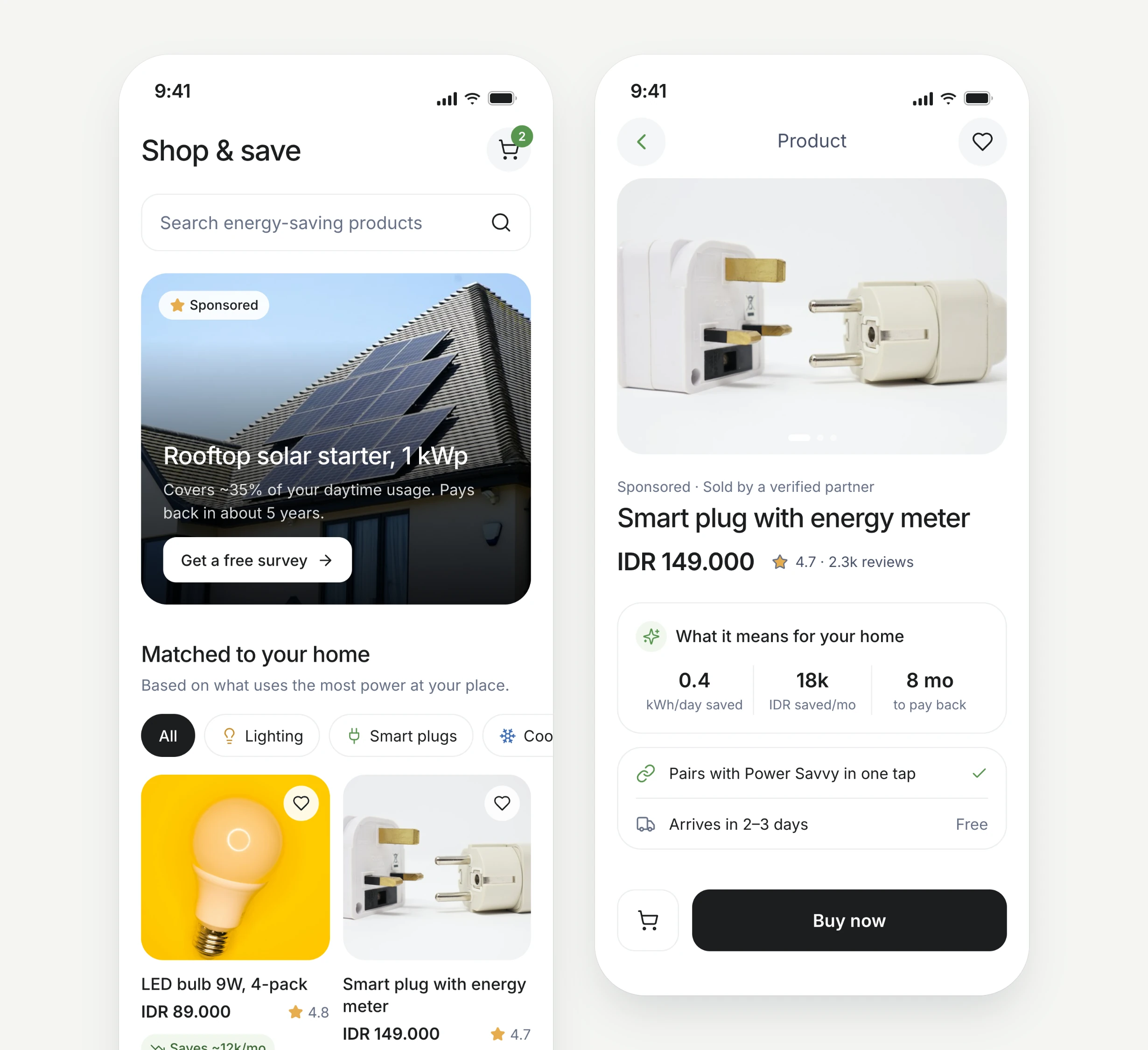
Sometimes the fix is an upgrade, not a habit. Shop & save is a space for products that genuinely cut household electricity use, such as LED bulbs, smart plugs, inverter ACs and rooftop solar. Products are matched to the devices that use the most power in the home and clearly labelled as sponsored. Each product page translates the price into real impact: kWh saved, rupiah per month, and how long until it pays for itself.
What's next
The next discipline I want to sharpen is user research. Even a well-crafted design can miss the core problem if it rests on one household's routine. For Power Savvy that means talking to other families about how they track their bills, testing whether the daily target is the right unit, and seeing how people feel about sponsored products inside a saving app.
Photos in the mockups are placeholders from Unsplash.